
Free PRD Template: AI-Ready Product Requirements Document
Most PRD templates give you a blank document with headers. You fill it in, hand it to engineering, and hope it lands.
This template is built differently. Every section exists for a specific reason — to answer a specific question and eliminate a specific category of ambiguity before the build starts. And it is structured so that AI prototyping tools can actually use it.
🆓 Free template — The PRD structure with coaching toggles and two completed examples. No email required. Get it on Notion →
🚀 AI-Ready PRD System — The full template plus 12 AI prompts (one per section) and a tool-by-tool handoff guide for Cursor, v0, Bolt, Replit, and Lovable. Get the System →
Why This Template Exists
I built this template after years of writing PRDs across early-stage startups and growth-stage SaaS companies — and watching the same failure modes repeat.
PRDs that describe a solution before establishing the problem. Success metrics that say "increase engagement" without a number or timeline. Scope sections that list everything in and nothing out. Open questions left blank because surfacing uncertainty felt like a sign the work was not ready.
Those documents do not guide a build. They document a decision that has already been made, and then ask engineering to fill in the gaps.
The template is my response to that pattern. It is opinionated about what belongs in a PRD and why. It is structured so that filling it in forces the questions most teams skip. And it is designed specifically for the way product work happens now — where AI tools are part of the process, and the quality of your inputs determines the quality of their outputs.
What Makes This Template AI-Ready
Most PRD templates were not designed with AI prototyping tools in mind. They were designed for human readers — and human readers can fill in gaps from context, ask follow-up questions, and tolerate ambiguity.
AI tools cannot.
When you hand a vague PRD to Cursor, v0, Bolt, or Replit, you get a plausible-looking prototype that does not reflect what you actually intended to build. The tool is not the problem. The inputs are.
This template is structured specifically to produce the inputs AI tools need to generate useful, accurate output:
Explicit problem framing. Not a feature description — a precise articulation of the user problem and the business context, written in a form an AI tool can use to evaluate whether a proposed solution addresses the actual cause.
Named target users with stated constraints. Not a generic persona — a specific segment with explicit scope boundaries. AI tools use this to constrain what they generate. Without it, they optimize for the most general possible interpretation.
Capability-level requirements, not implementation details. What the system must enable, not how it should be built. This gives AI tools the latitude to generate realistic implementations rather than being constrained by prescriptive UI decisions made before the tool has seen the problem.
Outcome-defined success metrics. A threshold, a timeline, and the business logic behind it. AI tools generating analytics integrations, instrumentation, or measurement flows need this to build toward a measurable outcome rather than a vague direction.
Explicit constraints and assumptions. What the solution must not do, what must remain true for the approach to hold, and what technical or organizational constraints apply. These are the inputs that prevent AI tools from generating solutions that look correct but are incompatible with your stack, your team, or your commitments.
The result is a document that works for human collaborators and AI tools — written once, usable across both.
What's in the Template
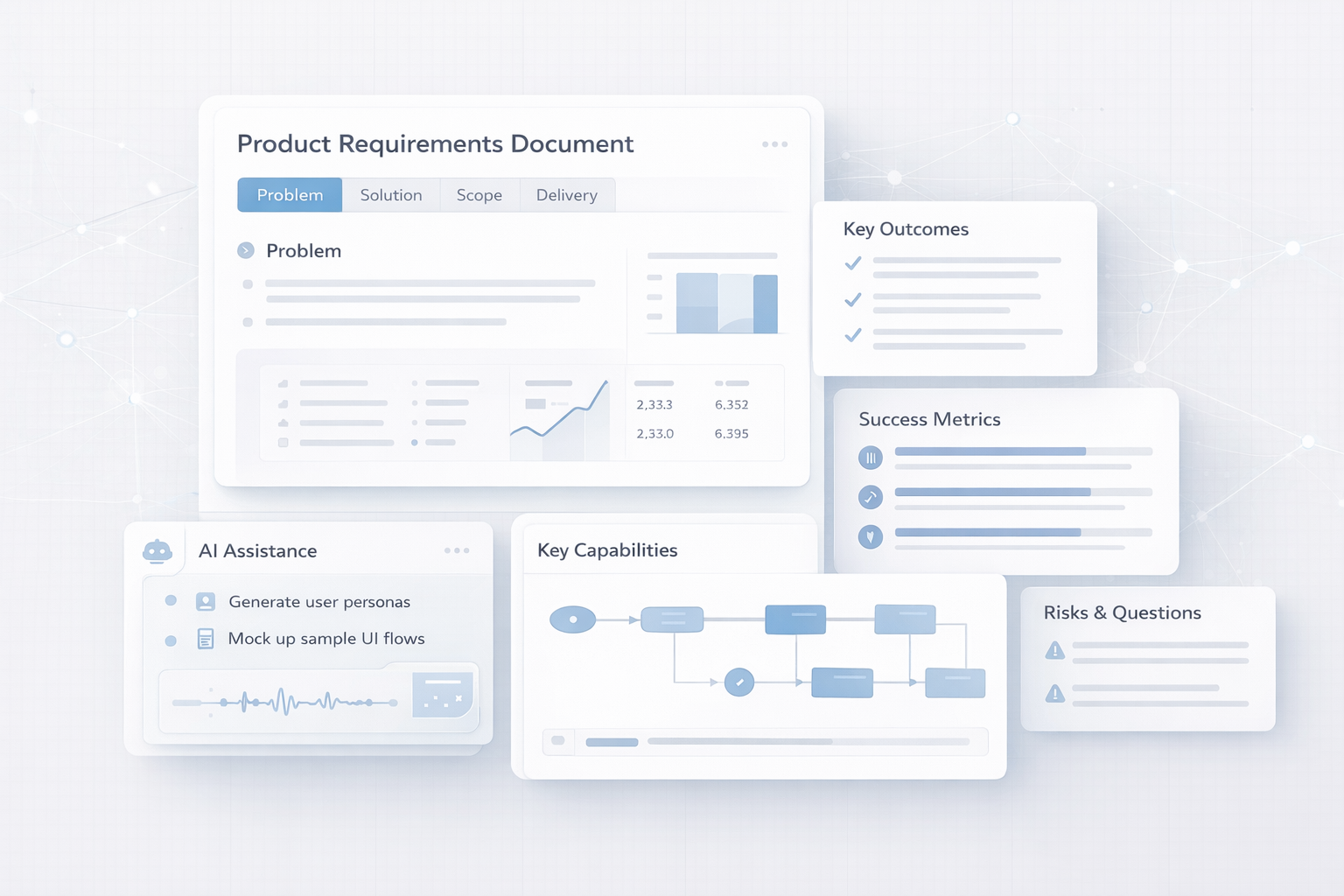
Four sections that follow the natural sequence of decisions in a product build. Each section includes optional guidance toggles: expand them if you want coaching on what to include and what good looks like. Ignore them if you know what you are doing and just want the structure.
Problem Alignment (or Opportunity)
Where every PRD should start and where most go wrong. This section is where you write the core customer problem or opportunity directly — not in a subsection, but as the body of the section itself. The two subsections that follow provide the timing rationale and the supporting evidence.
Subsections:
Why Now
Background & Evidence
If this section is vague, every decision downstream compensates for it. Engineering interprets scope loosely. Design solves for the visible symptom rather than the underlying cause. The post-launch retrospective surfaces the same misalignment that a clear problem statement would have prevented.
Solution Summary
The what, the who, and the definition of done. The section body is a high-level summary of the proposed solution and overall direction — written before the subsections, which then add specificity on users, success, and design constraints.
Subsections:
Target Users
Definition of Success
UX / Design Principles
The Definition of Success subsection is where most PRDs fall apart. "Increase engagement" is not a success criterion. This section pushes you toward a specific threshold, a timeline, and the business logic that makes the threshold meaningful — so engineering knows when the work is done and design understands why the outcome matters.
Scope & Capabilities
What is in, and — equally important — what is explicitly out. The section body is a short TL;DR paragraph defining the overall scope boundary. The subsections then list the specifics.
Subsections:
Key Capabilities (AI + Human Friendly)
In-Scope: Detailed User Stories
Out-of-Scope
The Out-of-Scope subsection is not optional. It is how you prevent scope from expanding during execution — not through negligence, but because reasonable people fill ambiguity with what seems logical to them. When the exclusions are named, that expansion has nowhere to go.
Delivery, Risks & Open Questions
What is still unknown, with an owner for each item. This section covers release planning and milestones, known constraints and assumptions, and open questions and risks — all in one place so nothing gets deferred silently.
Subsections:
Release Plan & Milestones
Constraints & Assumptions
Open Questions & Risks
A PRD with no open questions is almost always a PRD where the hard questions were deferred rather than resolved. This section makes deferral visible — and assigns accountability for resolving it before implementation begins.
Want the full explanation of what each section is doing and why it matters? Read the PRD writing guide →
Writing PRD Sections with AI — How It Works
The template gives you the structure. A structured AI prompt turns your rough notes into a section-ready draft — specific, opinionated, and mapped directly to the section you're filling in.
Each of the 12 prompts is built around five components:
Role. Sets the AI's frame of reference — "You are a senior PM diagnosing a user problem" produces different output than an unframed request. The role determines the level of rigor in the response.
Context fields. Where you paste your raw inputs — customer quotes, a Slack thread, usage data, a half-formed idea. Every field maps to a specific part of the PRD section the prompt feeds into.
Task. The precise instruction — what the AI is producing, at what level of specificity, and for what purpose in the document.
Output format. The structure the response must follow, mapped directly to the corresponding PRD section. The output is paste-ready, not something you need to reformat.
Constraints. What the output must not include — "no vague language," "no solutions in the problem statement," "every metric must include a number and a timeline."
The structured approach produces meaningfully different output at every section. Success Metrics prompts push toward specific thresholds and timelines — not "increase engagement." Out-of-Scope prompts require a stated reason for every exclusion. Open Questions prompts require a named resolution path for every item — "TBD" is not accepted as an answer.
Handing Off Your PRD to AI Prototyping Tools
A completed PRD is the input that determines whether AI prototyping tools produce accurate output — or something plausible-looking that doesn't reflect what you actually intended to build. Each tool has different context requirements and different failure modes.
What every tool needs before you prompt anything:
Problem Alignment — without a precise problem statement, tools optimize for the most general interpretation of what you wrote
Named Target Users with stated exclusions — who it's for and who it isn't; tools use both to constrain what they generate
Outcome-based Key Capabilities — what the system must enable, written without UI descriptions or technical implementation details
Measurable Success Criteria — a specific target, a baseline, and a timeframe; tools generating analytics or instrumentation need this to build toward an outcome rather than a direction
Explicit Constraints and Assumptions — stack, integrations, what must not change; prevents tools from generating solutions that look correct but are incompatible with your environment
How each tool uses your PRD differently:
Cursor (AI code editor for existing codebases) — relies most on Key Capabilities and Constraints. Without explicit constraints, it makes stack and architecture decisions you didn't intend.
v0 by Vercel (React/Tailwind UI components) — relies most on Key Capabilities and UX Principles. User Stories drive which screens get generated.
Bolt (full-stack in-browser prototypes) — relies most on Problem Alignment and Key Capabilities. Your Definition of Success is what you use to evaluate whether the prototype is worth testing.
Replit Agent (hosted apps with real backend logic) — relies most on Constraints and User Stories. Confirm the data model before it writes routes or UI — it will not ask.
Lovable (Supabase-backed deployable apps) — relies most on Target Users and Constraints. Specify auth requirements explicitly — it defaults to a more complex auth model than most prototypes need.
How to Use the Template
Three modes, depending on where you are:
New to PRDs. Open the guidance toggles as you write. They explain what each subsection is asking for, what a strong answer looks like, and what the most common mistakes are. Treat the toggle content as a coach, not a constraint.
Experienced PM. Ignore the guidance toggles entirely. Fill in the sections directly. The structure is there to carry the work; the scaffolding stays out of your way.
Using AI prototyping tools. Complete Problem Alignment, Target Users, Key Capabilities, UX Principles, Constraints, and Success Metrics in full before you prompt anything. These are the inputs that determine whether AI tools produce useful, accurate output or plausible-looking noise. Do not skip them to save time — the output quality is directly proportional to the input clarity.
The free template gives you the structure. The AI-Ready PRD System gives you everything else:
🤖 AI Prompts Cheat Sheet — 12 structured prompts, one per PRD section, each with a defined role, context fields, output format, and constraints. Paste your rough notes, get a section-ready draft.
⚡ AI Prototyping Tools Guide — How to hand off your completed PRD to Cursor, v0, Bolt, Replit, and Lovable. Includes which sections each tool needs most and the exact handoff prompt for each.
📖 README + Quick Start — Built-in orientation, first 5 steps, FAQ, and support.
Get the AI-Ready PRD System →
When This Template Works Best
This PRD template works especially well for:
SaaS products and B2B tools
Internal tools with real users
Ecommerce platforms
Teams using AI-assisted product discovery or prototyping (Cursor, v0, Bolt, Replit)
It’s less suited for:
Highly regulated technical specs
One‑page strategy memos
Backlog or sprint planning documents
- ✓ PRD template — all 4 sections
- ✓ Coaching toggles in every section
- ✓ 2 completed examples
- ✗ AI prompts cheat sheet
- ✗ AI prototyping tools guide
- ✗ README + quick start
- ✓ PRD template — all 4 sections
- ✓ Coaching toggles in every section
- ✓ 2 completed examples
- ✓ 12 AI prompts — one per section
- ✓ AI prototyping tools guide (5 tools)
- ✓ README + quick start