

Why Most SaaS Teams Build Without Knowing What Users Do
Most early-stage SaaS products are not data-blind. They have Google Analytics running, a few dashboard widgets showing active users, maybe a Stripe metrics view for revenue. The founders can tell you how many signups happened last week and what their MRR is.
What they cannot tell you is what those users actually did inside the product — which features they touched, where they stopped, whether the users who upgraded behaved differently from the ones who churned, and whether last month's feature shipped actually changed anything.
That gap — between knowing users exist and understanding what they do — is the problem product analytics solves. Without it, product decisions default to the loudest customer, the most recent support ticket, and the founder's instinct. All three are real inputs. None of them are reliable at scale.
What Product Analytics Does — and What It Cannot Answer
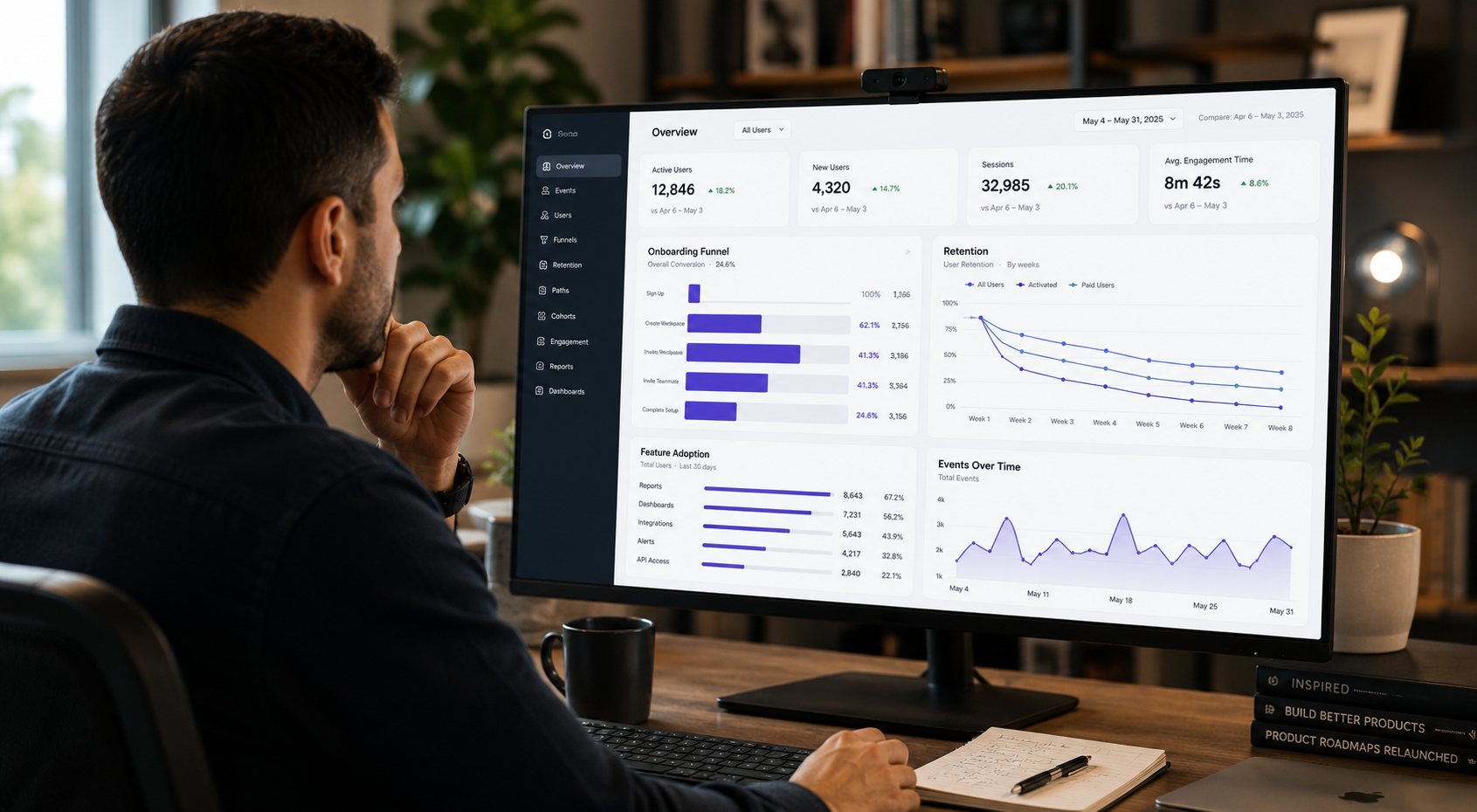
Product analytics is event-based behavioral tracking. Every meaningful action a user takes inside the product — signing up, completing onboarding, clicking a feature, setting up an integration, inviting a teammate — is captured as a named event with associated properties. Those events become a queryable record of how users actually use the product.
This is categorically different from web analytics. Web analytics tools like Google Analytics answer traffic questions: how many sessions, from which channels, with what bounce rates. Product analytics answers product decisions: which users reached the moment of value, which ones came back, what the activation funnel looks like, and which features correlate with long-term retention.
The three questions that matter most for any early-stage SaaS product:
Activation: What is the first action that predicts whether a user comes back? Which new signups are reaching it and which are not?
Retention: Of users who activated last month, how many are still active? Is the retention curve flattening or declining toward zero?
Feature adoption: When you ship something new, who uses it — and do those users retain better than users who do not?
These three questions cannot be answered from Google Analytics, from Stripe, or from support tickets. They require instrumented event data tied to individual users over time.
Hotjar, Datadog, and Google Analytics Are Not Product Analytics
Two other tool categories show up in product analytics searches and are worth separating before evaluating tools.
Qualitative behavioral tools like Hotjar capture heatmaps, session recordings, and on-site surveys. They answer "why are users confused at this specific step" — not "what are users doing across all sessions." Hotjar does not track named events, does not support funnel analysis or cohort retention, and does not measure activation or churn risk at scale. It is a useful complement to product analytics, particularly for diagnosing friction in a specific flow, but it does not replace it.
Infrastructure monitoring tools like Datadog track technical system health: error rates, latency, uptime, API performance. They are indispensable for engineering teams, and some product decisions are informed by technical metrics. Datadog does not track user behavior in the product, does not support cohort analysis, and is not designed for product analytics workflows. Teams using Datadog for infrastructure should add a dedicated product analytics tool alongside it — not instead.
Web analytics like Google Analytics answers traffic questions, not product decisions. It tells you sessions, bounce rates, and acquisition channels. It does not tell you which users activated, which features they used, or why they churned.
Product Analytics Tools for SaaS: A Stage-by-Stage Guide
The meaningful differences between product analytics tools are in pricing, implementation overhead, and fit for the team — not in core analytical capability. The right tool is almost always a stage and ownership question before it is a features question.
PostHog: Best Free Product Analytics Tool for Technical Founders
PostHog is the most capable free option currently available. The free tier covers a meaningful volume of monthly events, requires no credit card to start, and includes product analytics, session replay, feature flags, A/B testing, and error tracking in a single platform. For engineering-led teams that want to avoid building a multi-tool stack, PostHog is the most defensible starting point.
The platform is open source with a self-hosted deployment option for teams with data residency or compliance requirements. The query interface is more technical than Mixpanel's — setup and instrumentation benefit from engineer involvement — but the payoff is a more complete data picture from a single SDK.
Best fit: Technical founders, engineering-led product teams, startups consolidating analytics, session replay, and feature management into one implementation.
Genuine limitation: The interface breadth can be dense for non-technical PMs. The range of features creates real onboarding complexity for teams that only need funnel analysis to start.
Mixpanel: Best Self-Serve Product Analytics Tool for PM-Led Teams
Mixpanel remains the most approachable option for teams where the PM is the primary analytics user. The funnel builder and retention analysis tools are designed for rapid self-service iteration — a PM can go from product question to answer without involving an engineer or a data analyst.
The free tier was reduced significantly in late 2025, from 20 million to 1 million monthly events, which changes the cost curve for higher-traffic products moving from free to paid. Teams should model their expected event volume before committing.
Mixpanel does not include session replay, feature flags, or A/B testing. It is focused on behavioral analytics and does it well. Teams that need those additional capabilities will need to add separate tools.
Best fit: Product-led teams where PMs need to self-serve insights without analyst support. Smaller teams wanting fast time to first useful insight.
Genuine limitation: The free tier reduction in late 2025 makes Mixpanel's cost structure less forgiving at early growth stages than it was. The lack of session replay or experimentation tooling means additional tools are needed as the analytics practice matures.
Amplitude: Enterprise-Grade Product Analytics for Post-Series A Teams
Amplitude makes the most sense for teams past Series A with growing data complexity, multiple teams owning different parts of the data model, and a need for governed metric definitions. The Data catalog and governance infrastructure are designed for environments where multiple teams need to agree on what "activation" means and enforce that definition at the data layer.
Amplitude has a free Starter tier. The governance and data management features that differentiate it require paid plans, and extracting full value from Amplitude typically requires data engineering involvement during instrumentation.
A notable development as of mid-2026: Amplitude acquired the Statsig brand and customer base following OpenAI's earlier acquisition. Teams evaluating Statsig as a standalone experimentation platform should account for this consolidation before building further on that stack.
Best fit: Series A and beyond, companies with dedicated data engineering resources, multi-team environments needing governed analytics.
Genuine limitation: Implementation curve is steeper than PostHog or Mixpanel. Full capability requires instrumentation investment that most early-stage teams cannot yet justify.
PostHog vs. Mixpanel vs. Amplitude
| Criteria | PostHog | Mixpanel | Amplitude | Hotjar / Datadog |
|---|---|---|---|---|
| Category | Product analytics + dev tools platform | Product analytics | Product analytics + governance | Qualitative UX / Infrastructure monitoring |
| Free tier | 1M events/mo No credit card required | 1M events/mo Reduced from 20M in late 2025 | Starter plan Limited features on free | Hotjar: limited free tier. Datadog: infrastructure only — not product analytics |
| Best company stage | Pre-Seed through Series A | Pre-Seed through Series A | Series A through Enterprise | Any — as a complement, not a replacement |
| Technical requirement | Moderate — benefits from engineer involvement during setup | Low — PM-first self-serve query interface | High — data engineering needed for full value | Low (Hotjar) / High (Datadog, infra scope) |
| What it answers | Activation, retention, feature adoption, errors, experiments | Activation, retention, feature adoption | Same, plus governed multi-team metrics at scale | Hotjar: why users get stuck. Datadog: system health. |
| Session replay | Included | Not included | Not included | Hotjar: yes. Datadog: no. |
| Feature flags / A/B testing | Included | Not included | Included | No (both) |
| Open source / self-hosted | Yes | No | No | No (Hotjar). Datadog has on-prem options. |
| Key watch-out | Interface breadth can overwhelm smaller teams early | Significant free tier reduction in late 2025 — model event volume before committing | Full value requires data engineering investment most early-stage teams cannot yet staff for | Neither replaces behavioral event analytics |
Note on Statsig: Amplitude acquired the Statsig brand and customer base in mid-2026. Teams currently using Statsig should monitor the integration roadmap before building further on that stack. rodriguezjimmy.com
Which Events to Track First in a SaaS Product
Picking the tool is the smaller decision. The instrumentation plan is where most teams lose weeks.
A team that tries to instrument everything before getting data from anything ends up with an over-engineered tracking plan, an incomplete implementation, and a delayed start. The more practical approach is to identify the five to ten events that correspond directly to the three questions — activation, retention, feature adoption — and instrument those first.
For most SaaS products, that initial event set looks like: signed up, completed onboarding, reached the core value action, invited a collaborator, returned on day 7. Those events, tracked accurately, answer the most important product questions for the first six to twelve months. Everything else can be added once the core instrumentation is working and trusted.
The instrumentation plan should be documented before setup begins. It defines what each event means, what properties it carries, and which product question it is designed to answer. Without that documentation, event taxonomies drift, naming conventions diverge, and teams produce dashboards nobody trusts.
What Product Analytics Cannot Fix on Its Own
Product analytics answers the question "what are users doing." It does not answer the question "which of these behaviors should we change and why."
A team that sets up comprehensive analytics before defining which product bets they are making will produce accurate data that informs no decisions. The dashboards are well-instrumented. The funnels are correct. The retention curves are real. And the team still makes product decisions the same way it did before — because the data is not connected to a question anyone needs to answer.
The organizational incentive behind this pattern is familiar: deploying a tool creates the appearance of analytical progress. A new dashboard with live data is visible evidence that the team is data-driven. Whether the data is actually influencing decisions is harder to measure, so it rarely gets measured. The tool selection becomes the milestone rather than the question it was meant to answer.
The analytics practice becomes genuinely useful when the strategic questions already exist — which user segment the team is focused on, which behavior the product needs to change, which bets require evidence before they scale. The platform becomes a decision system when those questions are in place. Without them, it is a reporting exercise.
The upstream problem — defining which product bets require data to inform them — precedes tool selection. If the strategic questions are not yet clear, the analytics practice cannot be. Why Most Product Strategies Fail Before Teams Start Building →
How to Start Implementing Product Analytics
The sequence that works:
Define the three behavioral questions the team needs to answer (activation, retention, feature adoption),
Write a ten-event instrumentation plan that directly addresses those questions,
Choose the tool that fits the team's technical resources and stage, and instrument only those events first.
Most teams reverse this. They pick a tool, instrument everything they can think of, and then ask what to do with the data. The result is a complete analytics setup and no behavioral hypotheses to test against it.
The tool question is real — the differences between PostHog, Mixpanel, and Amplitude matter for implementation cost and team fit. But the tool question is secondary to the questions question. A team that knows what it is trying to learn can get useful signal from almost any of these platforms within two weeks. A team that does not will produce an impressive-looking dashboard and make the same decisions they would have made without it.
Most analytics gaps trace back to unclear strategic questions — which users to focus on, which behaviors to change, which bets need evidence before they scale. I work with early and growth-stage SaaS teams to build that foundation before the tooling decision, and to make the tooling decision count when it comes.
Work With Me →